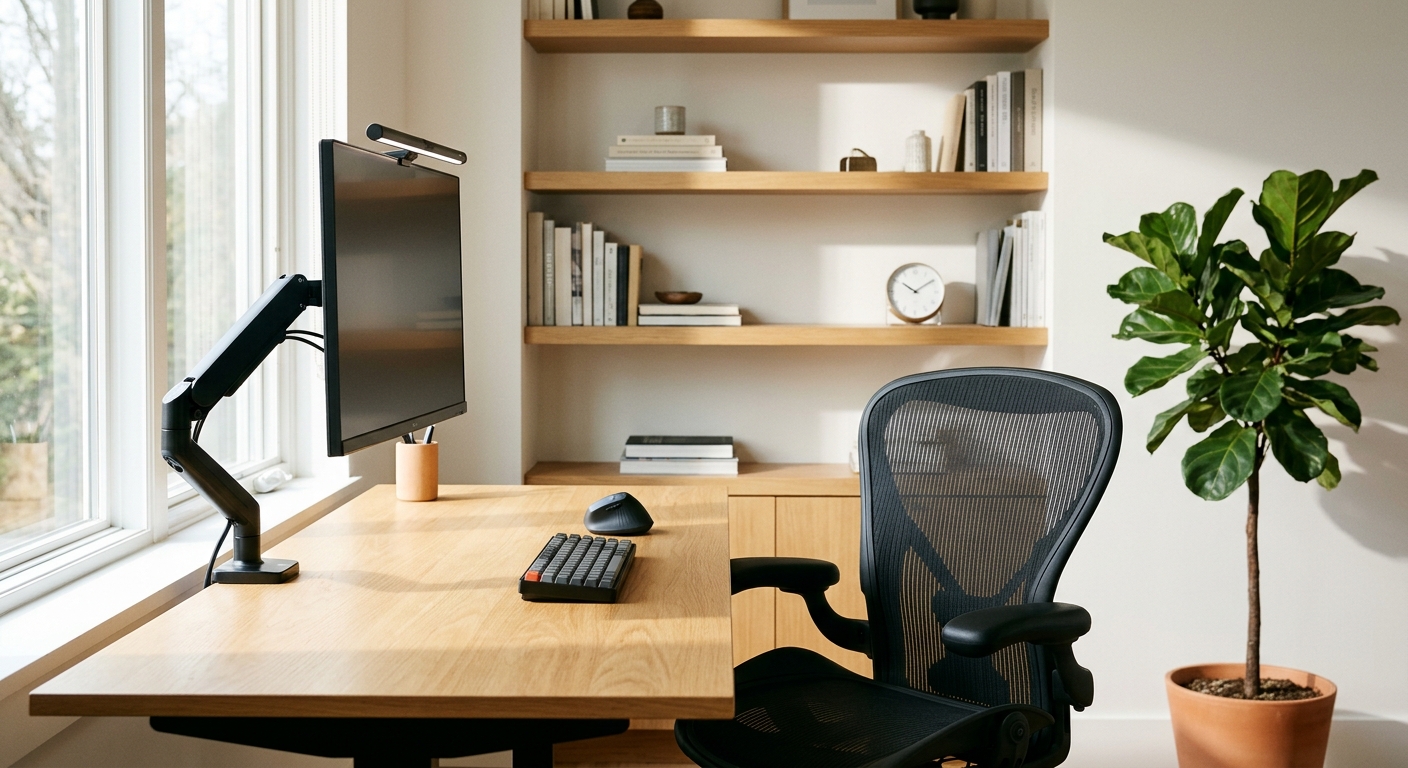
Working from home offers unmatched flexibility and eliminates daily commuting stress, yet millions of remote professionals and small business owners still work from kitchen tables, soft couches, or poorly lit spare bedrooms. Over time, makeshift workspaces trigger chronic neck and lower-back pain, eye strain, and afternoon fatigue that quietly drain your daily output.
You do not need to spend five thousand dollars on luxury designer office furniture to build a comfortable, high-performance workspace. By investing your budget in a few key ergonomic essentials while saving money on non-critical accessories, you can create a professional home office that protects your health and boosts focus all day long. Here is a practical guide to prioritizing your home office budget.
Quick Comparison: Where to Invest vs. Where to Save
| Workspace Item | Budget Priority | Smart Price Range | Why It Matters for Daily Productivity |
|---|---|---|---|
| Ergonomic Task Chair | High Priority (Invest) | $250 – $450 | Prevents lower-back pain during 6–8 hour workdays |
| External Monitor & Stand | High Priority (Invest) | $150 – $300 | Stops neck strain by raising screens to eye level |
| Desk Surface (Fixed or Standing) | Moderate Priority | $150 – $350 | Needs sturdy depth (24–30 inches) rather than luxury wood |
| Task Lighting & Webcam | Moderate Priority | $50 – $100 | Reduces eye fatigue and upgrades video call presence |
| Decorative Accessories & Organizers | Low Priority (Save) | $20 – $50 | Clean cable trays and simple bins work just as well as designer sets |
1. Spend Your Largest Budget Share on a True Ergonomic Chair
If you sit at a desk for six to ten hours every day, your office chair is the single most important piece of equipment in your business. Cheap racing-style gaming chairs or padded dining chairs look appealing at first, but they lack proper lumbar support and flatten out within months.
- What to look for: Prioritize an adjustable ergonomic mesh or fabric task chair with customizable seat height, adjustable lumbar lower-back support, armrests that move up and down, and a breathable seat pan. Buying a refurbished commercial-grade chair from reputable office brands often gives you ten years of orthopedic support for less than half the retail sticker price.
2. Raise Your Screen to Eye Level to Eliminate "Tech Neck"
Looking downward at a small screen for hours places up to 40 pounds of extra tension on your cervical spine, leading to stiff shoulders and tension headaches by mid-afternoon.
- The Ergonomic Fix: Add an external 24-inch to 27-inch IPS monitor mounted on an adjustable monitor arm or sturdy riser so the top third of the screen sits directly at eye level—about an arm's length away from your face. Pairing your elevated screen with an external wireless keyboard and vertical or ergonomic mouse keeps your wrists straight and shoulders relaxed.
3. Choose the Right Desk Depth Before Paying for Standing Features
Standing desks are fantastic for alternating posture throughout the day, but desk depth and stability matter far more than motorized bells and whistles.
- The Smart Rule: Look for a desktop at least 24 to 30 inches deep so your monitor is not sitting inches from your eyes. If a dual-motor electric standing desk stretches your budget too thin, a sturdy, wide fixed-height desk paired with a $35 under-desk footrest and hourly five-minute walking breaks delivers nearly identical health benefits for a fraction of the price.
4. Upgrade Your Lighting to Stop Eye Strain and Look Sharp on Calls
Harsh overhead ceiling bulbs cast unflattering shadows on video calls and create painful glare across computer screens, while working in a dark room forces your eyes to work overtime.
- The Lighting Setup: Position your desk perpendicular to a window rather than directly in front of or behind it—this prevents harsh backlighting on Zoom or Microsoft Teams calls while giving you natural daylight. Add an adjustable LED desk lamp or monitor light bar with warm-to-cool color temperature control so you can switch from crisp daylight tones in the morning to warmer, eye-friendly light in the late afternoon.
5. Tame Cable Clutter and Separate Work From Home Life
Visual clutter on your desk quietly competes for your brain's attention, while working in the middle of your living room makes it hard to mentally clock out at the end of the day.
- The Productivity Habit: Mount an inexpensive under-desk cable management tray with Velcro ties to keep power strips and charging cords completely off the floor. If you do not have a separate spare room with a closing door, use a stylish folding room divider or dedicated desk lamp ritual—turning off your workspace light at 5:30 PM signals your brain that the workday is officially finished.
Building a Workspace That Pays You Back Every Day
A well-designed home office is not an indulgence—it is a practical business investment that protects your posture, sharpens concentration, and helps you finish your most important work faster. Start by fixing your chair height, screen elevation, and desk lighting first, and upgrade extra accessories gradually as your business grows.